

A complete digital workflow for field inspection, services, and reporting
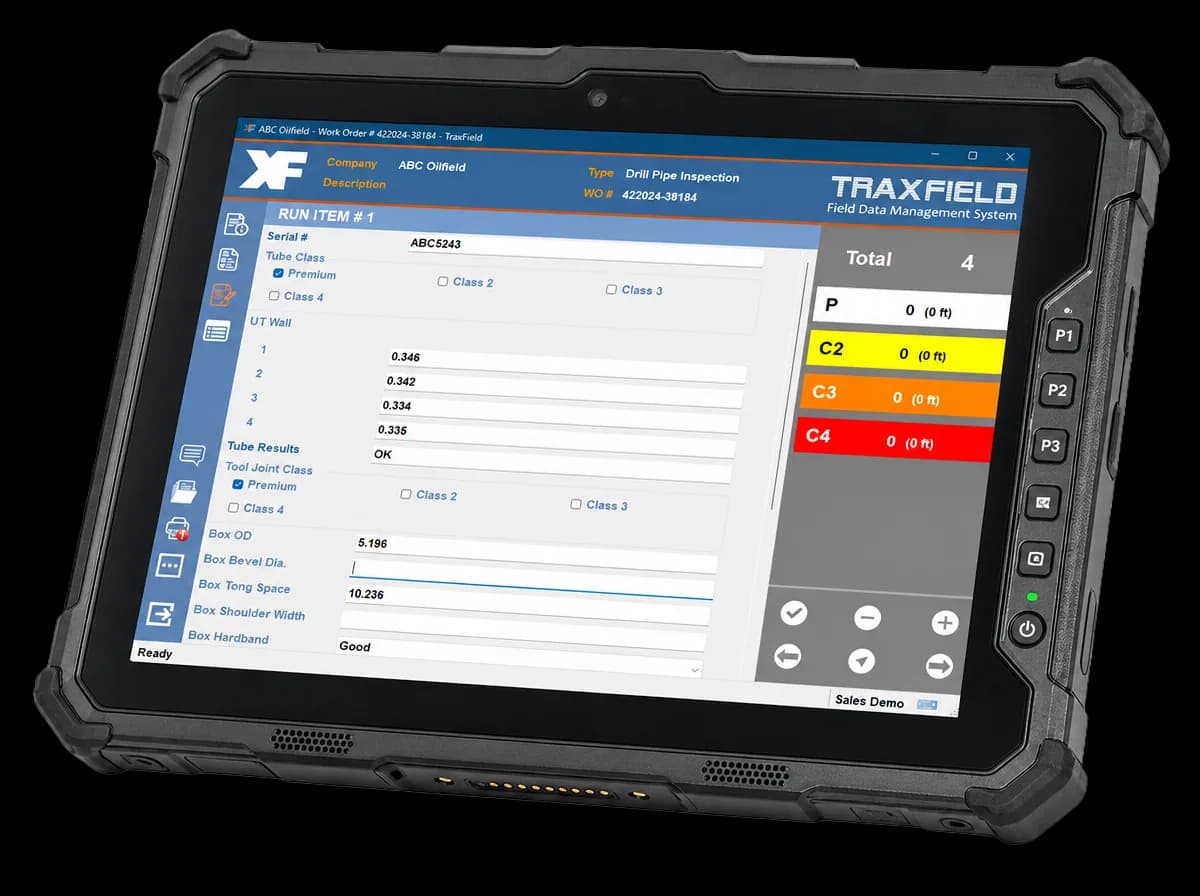
Capture inspection results, measurements, and signatures on a tablet/laptop. Generate branded inspection reports and field tickets in online/offline mode. Fully integrated with the cloud.
Give customers the inspection report before the truck leaves the yard.
- 1×
- Faster inspection cycles
- 0%
- Fewer data entry errors
- 10wk
- Average time to go live
How It Works
Inspections from start to finish all on one app
- STEP 01
Open the inspection template
Select from ready-to-use inspection/service templates or use a custom form configured to your spec. Works online or offline.
- STEP 02
Capture data in the field
Enter inspection results, measurements, and comments in the field. Attach images and videos directly to the work orders, collect signatures from inspectors and third-party monitors, and create field tickets.
- STEP 03
Submit and share the report
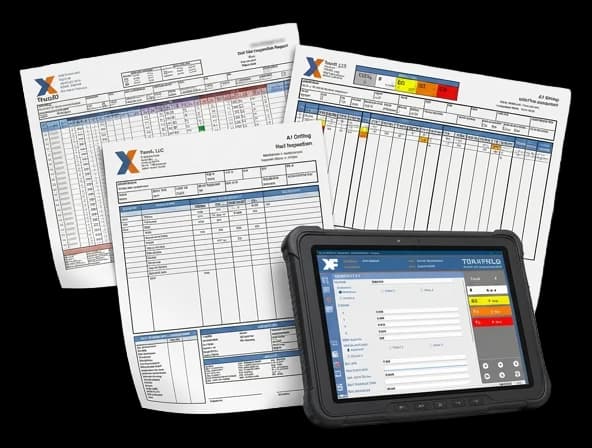
Generate branded PDF reports and field tickets with signatures instantly from the app. Share them with your customer before leaving the site, or sync to the cloud when back in range.
Inspection/Service Reports
Easy to read professional reports with color coded results and legends in one tap
Auto-generate branded PDF reports complete with inspection results, measurements, and hand-written signatures. Ready to print or email before leaving the site. Sync up the work orders and reports when an Internet connection is available to share with the office and customers.
Features
Everything your inspection team needs
Ready-to-use or custom templates
Use standard reports for quick setup or customize reports with custom fields, highlighting results, and pictures. Reports can be individual or combined, with summary, tally, picture, and addendum.
Predefined lists and data entry validation
Minimize typing errors with predefined lists, context-driven data entry, format and data validation.
Working offline or online with others
Work completely without Internet or work with others by assigning work orders and field tickets between devices or the cloud portal.
Attach pictures, videos, files, and notes
Attach pictures, videos, document files, and notes to work orders and upload to the cloud portal for clients to view.
Cloud for management and clients
Management and clients can search, download, and approve work orders and field tickets from anywhere via the cloud portal.
Email PDF reports and downloadable data
Automatically email completed PDF reports and field tickets to management and clients.
Choose the product tier that's right for you
Five tiers that scale with your operation — compare what each plan includes
Final pricing is based on your tier · Contact us for a quote.
Single-user field basics
- App users
- 1
- Templates & reports
- 2 standard
- Data retention
- 2 years
- Online/offline app for work orders & field tickets
- Standard templates & reports
Small crews, cloud-connected
- App users
- 3
- Templates & reports
- 3 standard
- Data retention
- 3 years
- Cloud for management & clients
- Assign work orders & field tickets to cloud/devices
- Attach & upload photos/videos from app
Best for growing field teams
- App users
- 5
- Templates & reports
- 3 standard or custom
- Data retention
- 4 years
- Custom templates & reports
- Auto email of work reports & field tickets
- Custom fields & personalized app intro screen
Multi-crew operations
- App users
- 7
- Templates & reports
- 4 standard or custom
- Data retention
- 5 years
- Picture report for photo attachments
- Export work orders to CSV files
- Batch work order image download to ZIP file
Large field operations
- App users
- 10
- Templates & reports
- 5 standard or custom
- Data retention
- 6 years
- Private cloud hosting with custom subdomain
- Data analysis reports (up to 3 reports)
- API for downloading work orders
Ready to leave the clipboard behind?
See TraxField running on your inspection type.
Get a live demo tailored to your OCTG or oilfield inspection workflow and we'll get back to you shortly. No commitment required.